
If you had to find the proverbial needle in a haystack...
It might take you a long time to find it...
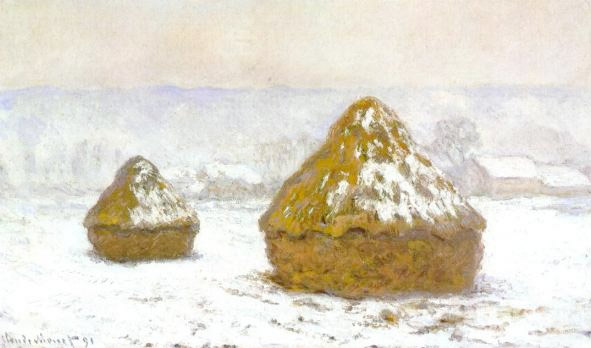
Unless you pushed the haystack over and used a Nailhawg!

Regular expressions offer a convenient way of finding characters or patterns of characters in a string and manipulating them.
Most computer languages (python, javascript, perl, php, to name a few) offer a similar-looking way of doing regular expressions.
>>> import re
>>> s = 'Prof of Communication'
>>> re.sub('Prof', 'Professor', s)
'Professor of Communication'
>>> s = 'Dir of Dire Needs Assessment'
>>> re.sub('Dir', 'Director', s)
'Director of Directore Needs Assessment'
>>>
>>> re.sub('^Dir', 'Director', s)
'Director of Dire Needs Assessment'
>>> s = re.sub(^Dir', 'Director', s)
>>> re.sub('ment$', 'ments', s)
'Director of Dire Needs Assessments'
>>> s = 'Assoc Dir of Dire Needs Assessments'
>>> re.sub('\\bDir\\b','Director',s)
'Assoc Director of Dire Needs Assessments'
>>> re.sub(r'\bDir\b','Director',s)
'Assoc Director of Dire Needs Assessments'
\b matches any 'word boundary', which include spaces, punctuation, and beginnings and endings of strings.
r'...', to avoid the "Backslash Plague".
>>> s = 'prof of Mathematics'
>>> re.sub( r'\b(prof|Prof)\b', 'Professor', s)
'Professor of Mathematics'
>>> s = 'prof of Mathematics'
>>> re.sub( r'\b[pP]rof\b', 'Professor', s)
'Professor of Mathematics'
[a-zA-Z]
>>> s = 'Dir. of Giving and dir of Marketing'
>>> re.sub ( r'[Dd]ir', 'Director', s)
'Director. of Giving and Director of Marketing'
>>> re.sub ( r'[Dd]ir[.]*', 'Director', s)
'Director of Giving and Director of Marketing'
The * means "the previous thing repeated 0 or more times".
>>> s = 'Assoc Prof   of Ergonomics   '
>>> re.sub ( r'[\s]*', ' ', s)
' A s s o c P r o f o f E r g o n o m i c s '
>>> re.sub ( r'[\s]+', ' ', s)
'Assoc Prof of Ergonomics '
\s means any whitespace character.
+ means "the previous thing repeated 1 or more times".
What pattern would you use to strip all of the trailing spaces off?
 How about some chicken?
The notation for DNA consensus sequences already looks pretty close to regular expressions.
An intron is a sequence of DNA that a particular enzyme recognizes, binds to, and then cuts out. One characteristic of many is that they begin with "GT" and end with "AG".
We'd like to match "GT" followed by anything, followed by "AG".
. is actually an operator that matches any single character. (It was only because we enclosed the period in the character class brackets [.] before that it was not interpreted that way.).* matches any number (including 0) of any kind of characters.
>>> s = 'TTGTCCCCCCAGTTTTAGCCCC'
>>> re.sub( r'GT.*AG', '[possible intron]', s)
'TT[possible intron]CCCC'
Do you see the problem with this?
The . operator is described as greedy because it matches as much as possible between the patterns on either side of it.
Use the ? modifier to make an expression non-greedy
>>> s = 'TTGTCCCCCCAGTTTTAGCCCC'
>>> re.sub( r'GT.*?AG', '[possible intron]', s)
'TT[possible intron]TTTTAGCCCC'
It would be nice to see the sequence betwee GT and AG of the possible intron. Let's show it...
>>> s = 'TTGTCCCCCCAGTTTTAGCCCC'
>>> re.sub( r'GT(.*?)AG', r'[GT]->\1<-[AG]', s)
'TT[GT]->CCCCCC<-[AG]TTTTAGCCCC'
In the replacement code (now a raw string) \1 captures the contents of the first set of (..) brackets and makes it available.
>>> s = 'TTGTCCCCCCAGTTTTAGCCCC'
>>> m = re.search( r'GT(?P<intron_seq>.*?)AG', s)
>>> m.groups('intron_seq')
('CCCCCC',)
When someone fills in the form and submits it, the page that handles the form input should...
See also the Python Regular Expression HOWTO.